From WhatsApp groups and radios to one operational picture.
Most field teams run on WhatsApp groups and radios, and both earn their place. What they can’t give you is a shared picture: who is where, what is open, who owns it and what happened when. Sinkaos adds that picture, and the radio stays for urgent voice.
Everyone is talking, and nobody can see the whole thing.
A typical operation runs on two channels. The radio carries short, urgent traffic. A WhatsApp group carries everything else: photos, addresses, “has anyone seen the blue van”, lunch orders, and the one message that mattered, buried between two thumbs-up reactions.
Each works well enough on its own terms, but together they leave gaps. The coordinator builds the picture in her head from both, and nobody else has it. Positions are asked for over the radio and forgotten a minute later. Tasks are agreed in the chat and never closed. After the event, the debrief runs on memory, because the only record is a scrollback and a radio log, if anyone kept one.
Moving over in five steps, without switching everything off at once.
-
01Agree what stays on the radioUrgent voice stays where it is: stop, evacuate, man down, “come to me now”. Everything that needs a place, an owner or a record moves to Sinkaos. Write that split into the briefing.Radio for urgent voiceBriefing
-
02Set up the operation onceDraw the area, zones and routes, set up roles and teams, and load your task templates. Next time, start from this operation as a template.TemplatesRolesMap
-
03People join from a QR codeAt the briefing, everyone scans a QR code and joins with the role they have today. Guests from other organisations get access to this operation only. Nobody collects phone numbers.QR joinGuests
-
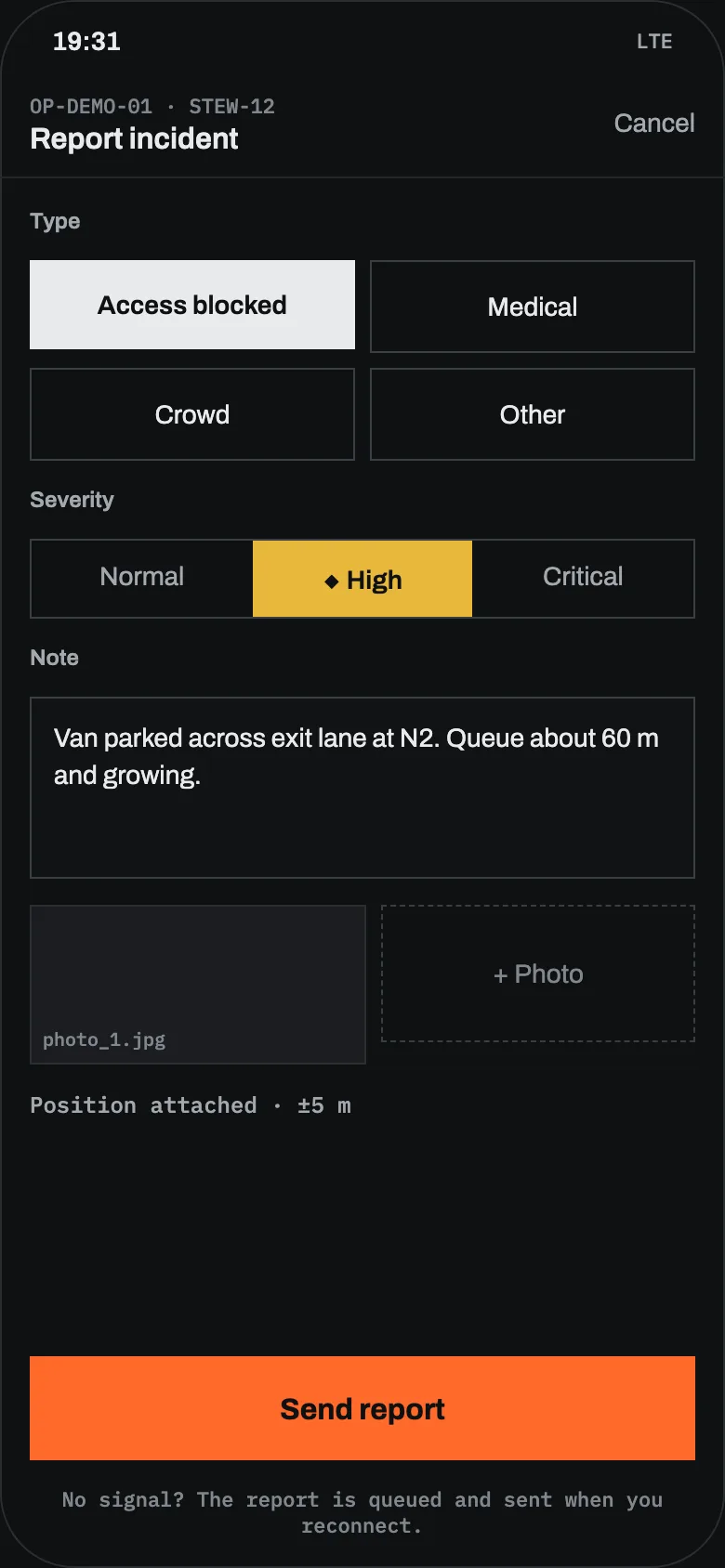
04Reports go into recordsA steward reports a blocked gate in three taps: type, severity, one photo, position attached. It appears on the map for the operator and the team leads, tasks go out, and the radio is used only to say “on my way”.IncidentsTasksPositions
-
05The debrief starts from what was loggedReplay the day on the map and export the filtered timeline for the after-action report. After that, decide what the chat group is still for.ReplayExportDebrief
Radio, group chat and an operational picture, side by side.
A general picture of typical setups. Specific radio systems and messengers differ; for a product-by-product view, see the WhatsApp and Signal comparison and radio and paper comparison.
| RADIO | GROUP CHAT | SINKAOS | |
|---|---|---|---|
| Urgent voice to everyone at once | The fastest way | Possible, slower to reach everyone | Calls and alerts; keep radio for this |
| Who is where | Ask, and wait for answers | Per person, if they turn it on | Live on one map, with last known positions |
| Open work with an owner | Lives in someone’s notes | Lost in the scroll | Incidents and tasks with owner and status |
| Photos and documents | Not suited | Easy to send | Encrypted, attached to the incident |
| No mobile network | Works within radio coverage | Messages wait for data | Map, tasks and reports work offline, sync later |
| A record for the debrief | Only if someone logs it | Scrollback | Timeline, history and replay |
| Joining and leaving | Hand out and collect sets | Added and removed by hand | Join by QR, access ends with the operation |
Once the picture is shared
Fewer “where are you?” calls
Members who share their position appear on the map, with status, for the time the operation needs.
Work that stays put
An incident or task is its own record with a place, an owner and a history. You can talk about it, and it doesn’t scroll away.
Messages still there
End-to-end encrypted chats for the whole operation, for each incident and person to person. A message can be turned into a task.
Late news in the right order
A report written at 19:05 with no signal and received at 19:41 shows at 19:05, marked as late.
Clean starts and ends
People join for one operation, see what their role allows, and lose access when it closes.
Interoperable where it matters
Exchange positions, markers and incidents with TAK-family apps over Cursor on Target, and import or export KML, GeoJSON, GPX and CAP.
What Sinkaos does not replace.
Teams this move suits.
What teams ask before they switch.
Does Sinkaos replace our radios?
Do we have to drop our WhatsApp group?
How long does it take a team to learn?
What if people have no signal?
Can people from other organisations join?
Does it work with TAK users?
Try it on your next operation.
Early access is free. We set up the first operation with you and stay close while you use it.