Everything happens inside an operation.
An operation is the workspace for one event, response or site. It has a map, a team, a plan, and a record of everything that happened. People join it, work in it, and leave it when it's over.
Records that outlive the conversation about them.
In most teams the truth lives in a group chat and scrolls away. In Sinkaos an incident, a task or a map object is its own thing. You can talk about it, but it stays put, with its place, its owner and its history.
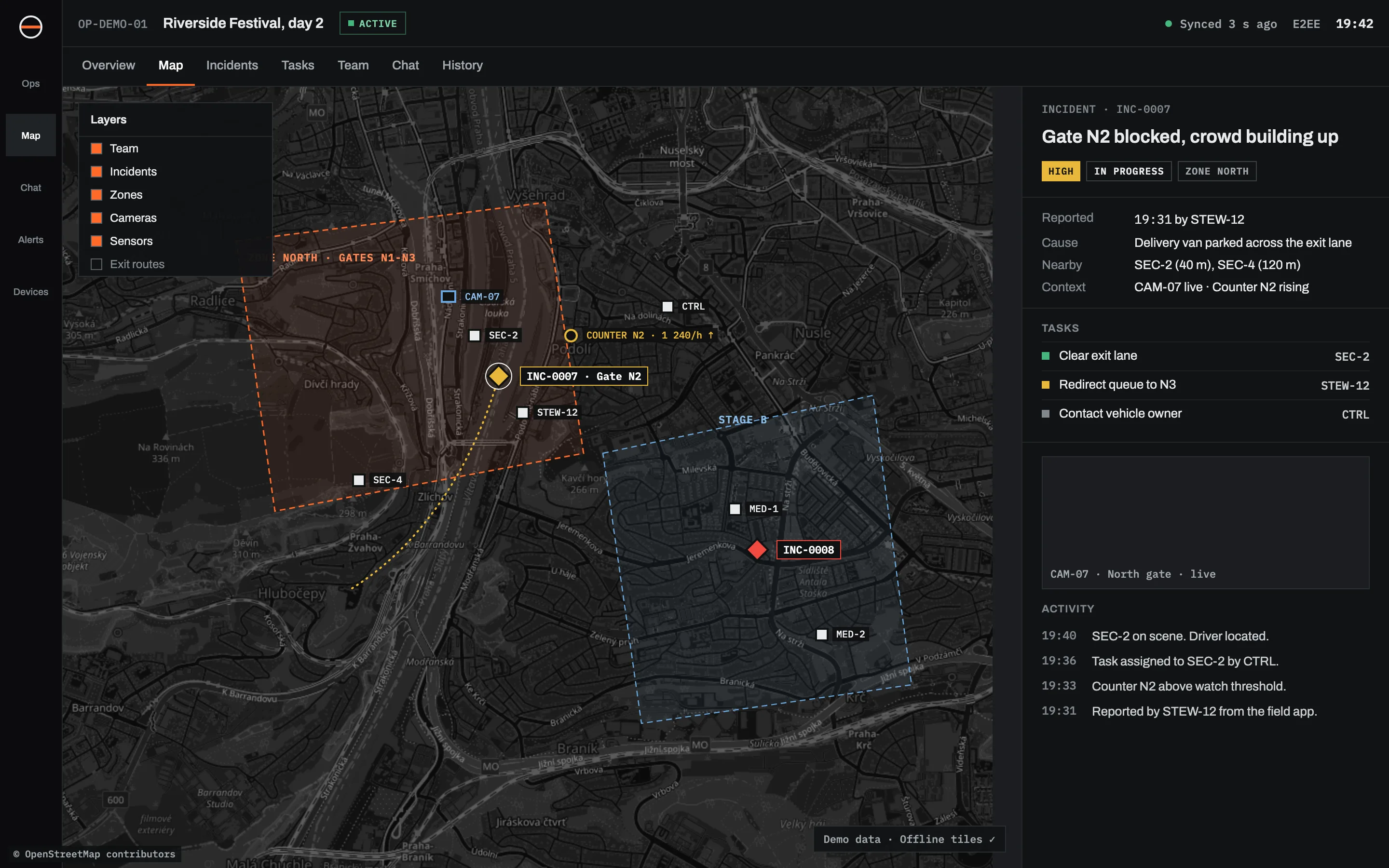
Prepare, pack, operate, converge, review.
-
01 PREPAREThe operator builds the planDraw the area and split it into sectors. Add zones, routes and access points. Set up roles and teams, load task templates, choose map layers and imagery, attach the documents people will need.Areas and sectorsRolesTask templatesLayers
-
02 PACKEach phone downloads its mission packThe pack holds offline maps for the area, the plan, that person’s tasks, the team list, documents and the operation keys. A medic’s pack is not a drone pilot’s pack. The operator can see who is ready.Mission packsOffline mapsPack status
-
03 OPERATEPeople work, with or without signalReports, photos, positions and messages are saved on the phone and sent when there is a link. The map, the tasks and the last known positions of others are always there.IncidentsTasksLive locationMessages
-
04 CONVERGEThe picture fills inAs phones and field nodes reconnect, their changes come in. Each one goes onto the timeline at the time it happened, so a report written at 19:05 and received at 19:41 is shown at 19:05, marked as late.SyncNodesTwo timestamps
-
05 REVIEWClose it and learn from itThe operation becomes read-only. Replay it on the map, filter the timeline, export it for the debrief.TimelineReplayExport
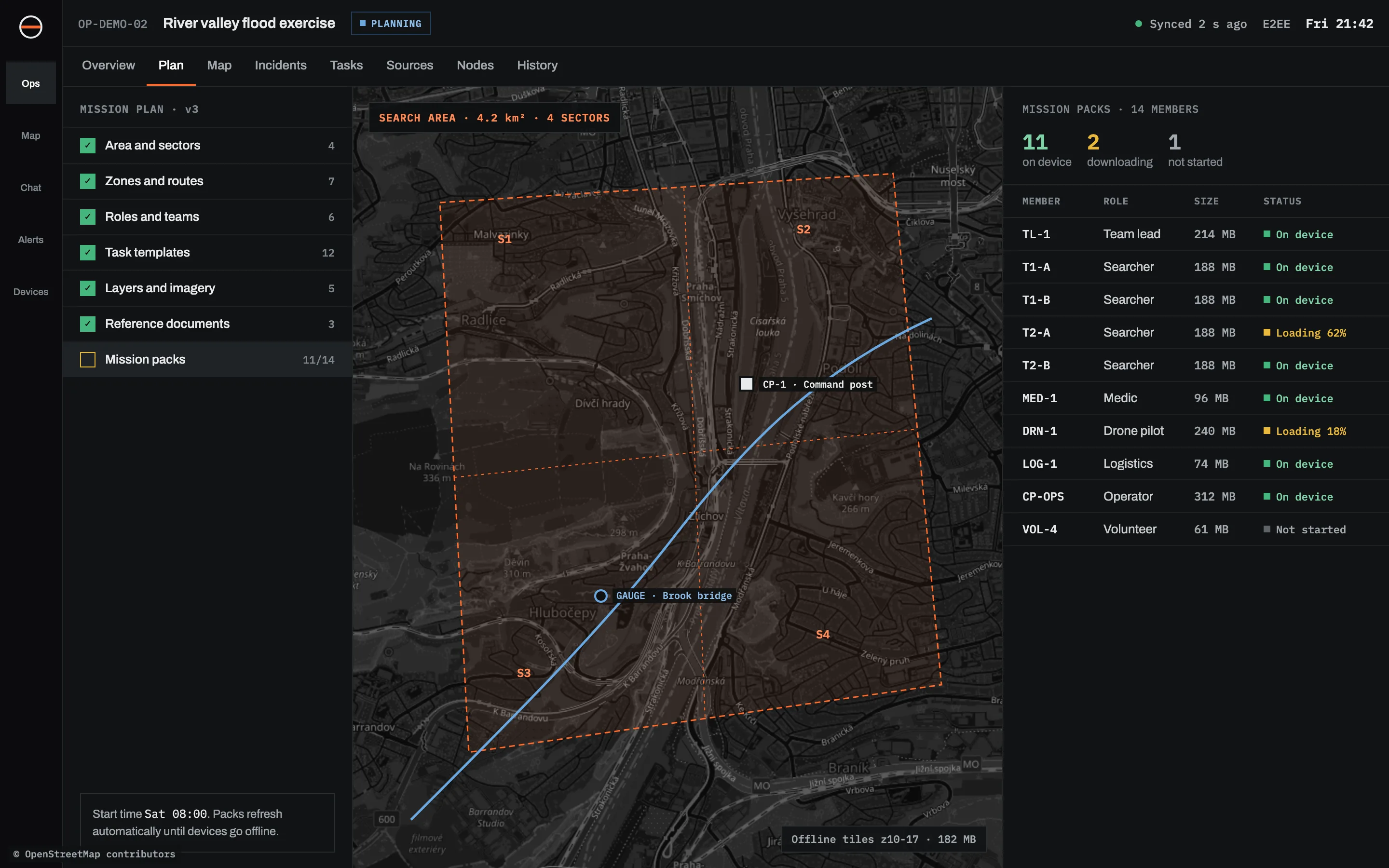
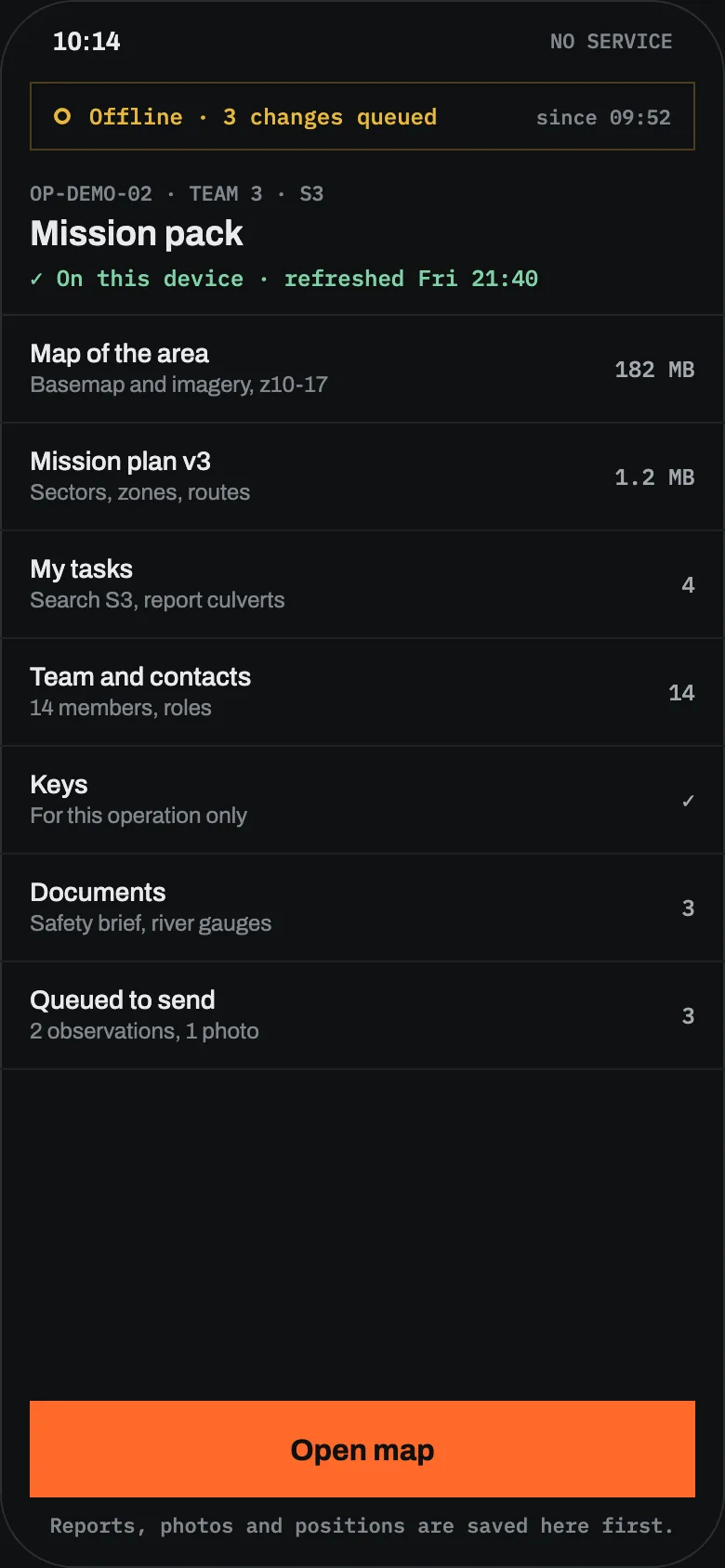
What still works when the phone shows no bars.
Offline isn't an error state in Sinkaos. It's expected, and the app tells you plainly what is waiting to send.
| ON THE PHONE | NO SIGNAL | WHEN IT RECONNECTS |
|---|---|---|
| Map | Full map of the pack area, all layers in the pack | Newer layers and edits download |
| My tasks | Visible, can be updated and completed | Updates send, new tasks arrive |
| Reports and photos | Created as normal, held in the queue | Sent in order, oldest first |
| Own position | Recorded on the device | Track uploads and fills the gap |
| Others’ positions | Last known position, with its age | Live again |
| Messages | Written and queued | Sent and received |
| Camera and sensor feeds | Not available, last value shown with time | Live again |
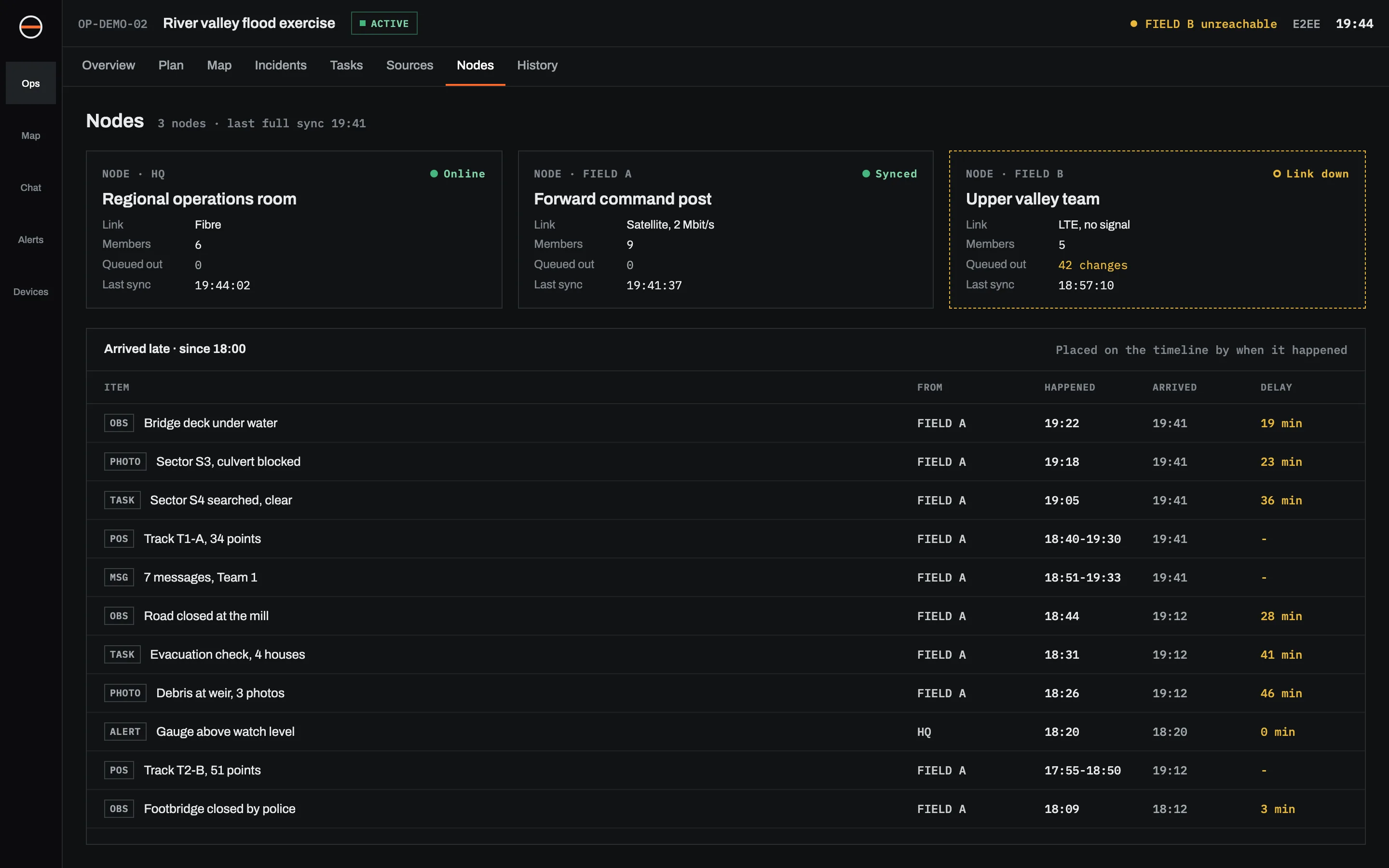
One operation can run on several servers at once.
A node is a running copy of Sinkaos. Headquarters might use a hosted node. A forward command post might bring a laptop that serves its team over local Wi-Fi. Each node holds the operation and keeps working on its own.
When two nodes can reach each other, they exchange what changed since they last spoke. Text and positions go first. Nothing is overwritten silently: if two people changed the same record while apart, both versions are kept and the operator decides.
The operator at HQ sees each node's state, how much is waiting to come in, and which reports arrived late and by how much.
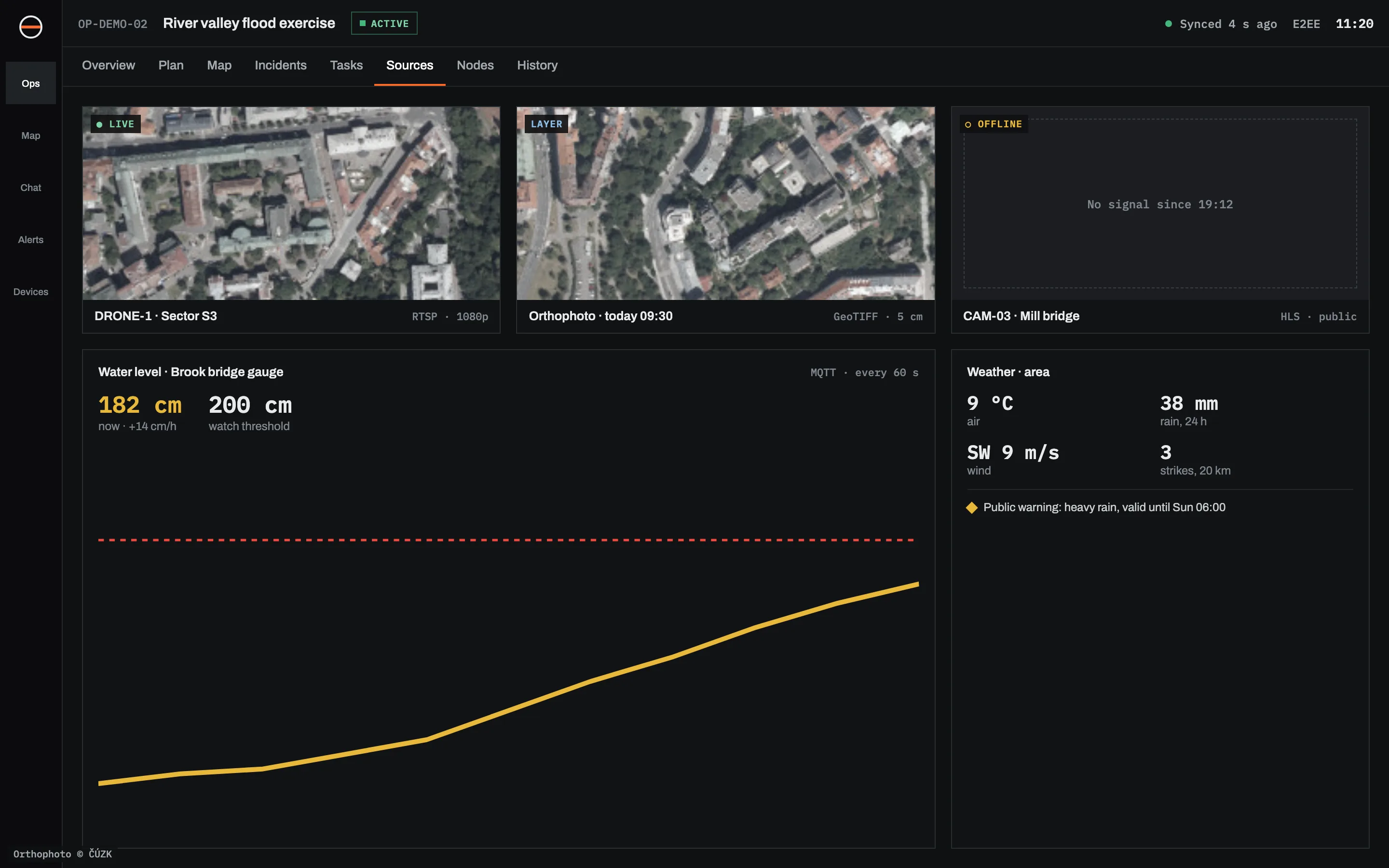
Live context sits on the map next to the people.
Add a source once per operation. It appears as a layer, can be attached to incidents, and can raise alerts. Feeds that drop out say so, with the time they were last seen.
Plan A rarely survives the morning. Have B ready.
A plan in Sinkaos has objectives, and one or more ways to reach them. Swap a whole plan, or only the segment that broke, and rejoin the rest. Each alternative states the conditions it depends on: the bridge is open, the river is below a level, there are two drivers.
Before the day, rehearse it. Close a road or take away a vehicle and see which alternatives still hold. During the operation, Sinkaos warns when the active plan stops being feasible and records every switch, who made it and why.