Offline maps for field teams that work where the signal stops.
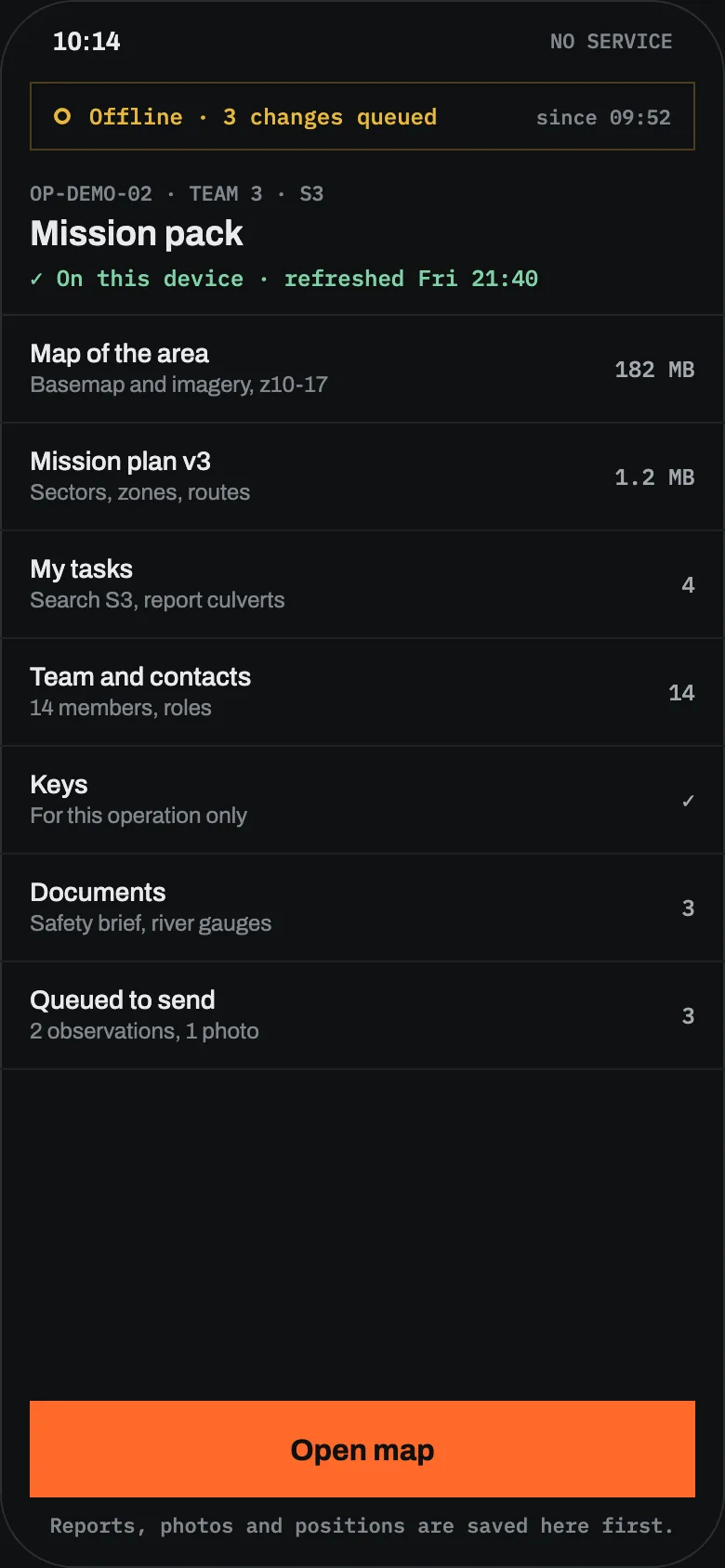
Offline maps in Sinkaos come as part of a mission pack: the area, the layers, the plan and each person’s tasks, downloaded before anyone leaves. With no bars on the phone, people still see the ground, their work and where the others were last seen.
The map app shows a grey grid exactly where the team is working.
Most map apps assume a connection. They cache whatever you happened to look at, and when you zoom into the valley where the search sector actually is, the tiles never load. The sector boundaries someone drew last night live on a laptop at the command post, and the photo of the printed map on the group chat is too blurry to read a grid reference from.
Paper maps still work, but they cannot show who is where or take a report, and every change has to be read out over the radio and redrawn by hand. And coverage is worst in the places where the work is: forests, gorges, cellars, the far side of a flooded area.
From the evening before to a ridge with signal again.
-
18:00The area is drawn onceThe coordinator draws the search area, splits it into sectors and adds the access tracks, the meeting point and a known hazard. She picks the basemaps and an orthophoto layer for the area.SectorsBasemapsLayers
-
19:30Each phone downloads its packEvery searcher’s phone fetches a mission pack with the offline map of the area, the layers, the plan, that person’s tasks and the team list. A dog handler’s pack differs from a drone pilot’s. The coordinator sees whose pack is on the device and whose is still downloading.Mission packsPack status
-
07:10Into the dead zoneTeam 3 walks into a gorge with no coverage. The map, the sector boundary and their tasks are all on the phone. They read a position in MGRS off the screen and record an observation with a photo; it waits in the queue.No signalMGRSQueue
-
08:25A new route without a connectionA footbridge is down. The team lead marks it as closed and calculates another way round from road and path data stored on the phone.Offline routingClosures
-
09:02Back on a ridge, the picture catches upThe phone finds signal. The observation, the closure and the track go out, oldest first, and land on the timeline at the time they happened, marked as late.SyncTwo timestamps
Maps that are already on the phone when the network goes.
Vector and raster maps offline
Download the area as vector or raster maps, including tiles from your own tile servers.
A basemap catalogue
Publish a set of named basemaps for your organisation, so everyone switches between the same topographic map, orthophoto or street map.
One pack per person
Offline maps arrive together with the plan, the person’s tasks, the team list and documents, scoped to their role.
Coordinates people actually use
WGS 84, UTM, MGRS and others, each shown in the format the reader prefers. Paste a coordinate to find it.
Search without signal
An offline geocoder finds places on the device. Offline routing calculates new routes from stored road data, and takes closures and hazards into account.
Buildings and floors too
Offline site packages carry an area of your persistent atlas or a building with its floor plans into the field.
Your own layers
Imagery and map services such as WMS, WMTS and GeoTIFF, plus KML, GeoJSON and GPX data, sit as layers with their own order, opacity and permissions.
What the phone shows offline, and what waits for the link.
| ON THE PHONE | NO SIGNAL | WHEN IT RECONNECTS |
|---|---|---|
| Map | Full map of the pack area, all layers in the pack | Newer layers and edits download |
| Own position | Recorded on the device | Track uploads and fills the gap |
| Others’ positions | Last known position, with its age | Live again |
| Reports and photos | Created as normal, held in the queue | Sent in order, oldest first |
| Routing | New routes from stored road data | Online routing service available again |
| Camera and sensor feeds | Not available, last value shown with its time | Live again |
The full table is on How it works.
What offline maps in Sinkaos do not do.
Where teams use offline maps.
Before your first operation without signal.
Do people have to download maps themselves?
Can we use our own maps?
Can a whole command post work without internet?
Which coordinate formats are supported?
What happens to reports written without signal?
Does it work on iPhone and Android?
Got a search area or a site with no coverage?
Tell us where you work. We’ll set up the first operation with you, maps included.