Search and rescue software that shows which ground has really been searched.
A missing-person search succeeds or fails on coverage: the right sectors, searched properly, with nothing searched twice and nothing skipped. Sinkaos puts sectors, searchers, tracks and finds on one map that works without signal, and leaves a record the police search adviser can rely on. In the UK the police are responsible for land search, and volunteer lowland and mountain rescue teams search on their request.
Forty volunteers, six organisations, one map on a car bonnet.
A search grows quickly. Police officers, a fire and rescue crew, search dog handlers, the local lowland rescue team and neighbours with torches all turn up within the hour. Each group has its own radio channel or chat, and the search manager is assigning sectors from a printed map spread on a car bonnet.
Then the hard questions start. Did team four search the whole of sector C, or only the paths? Who found the jacket, and exactly where? By 3 a.m. the briefing board, the radio log and the phones disagree with each other, and the next shift inherits the confusion.
An elderly man missing from a village on the edge of a forest.
-
21:30The police request a teamThe police grade the man as high risk, bring in a police search adviser and call out the lowland rescue team. The team’s search manager opens an operation and marks the last known position and the initial planning point.OperationPlaces
-
21:50Sectors on the mapSearch areas are split into sectors by roads, streams and forest tracks. Each sector becomes a task with a priority and a search method: hasty search of paths first, then area search.SectorsTasksPriorities
-
22:10Volunteers join from a QR codeSearchers from the lowland team, a neighbouring mountain rescue team and a search dog unit scan a code at the briefing and join as guests of this search only. Their phones download the maps and their sector.Guest accessMission packs
-
23:40Tracks show real coverageRecorded tracks fill in each sector. The search manager sees that a dog team has finished sector B and that the north edge of sector C is still empty, and sends the next team there.TracksLive location
-
01:15A find without signalA team in the valley logs a cap with a photo and position. It reaches the timeline at 01:15 when the team climbs back into range, marked as late, and the search area is narrowed around it.ObservationsOfflineTwo timestamps
-
03:00Found, and stand-downThe man is found and handed to the ambulance crew. The operation closes, guest access ends, and tracks and the timeline are exported for the police and the debrief.ExportReplay
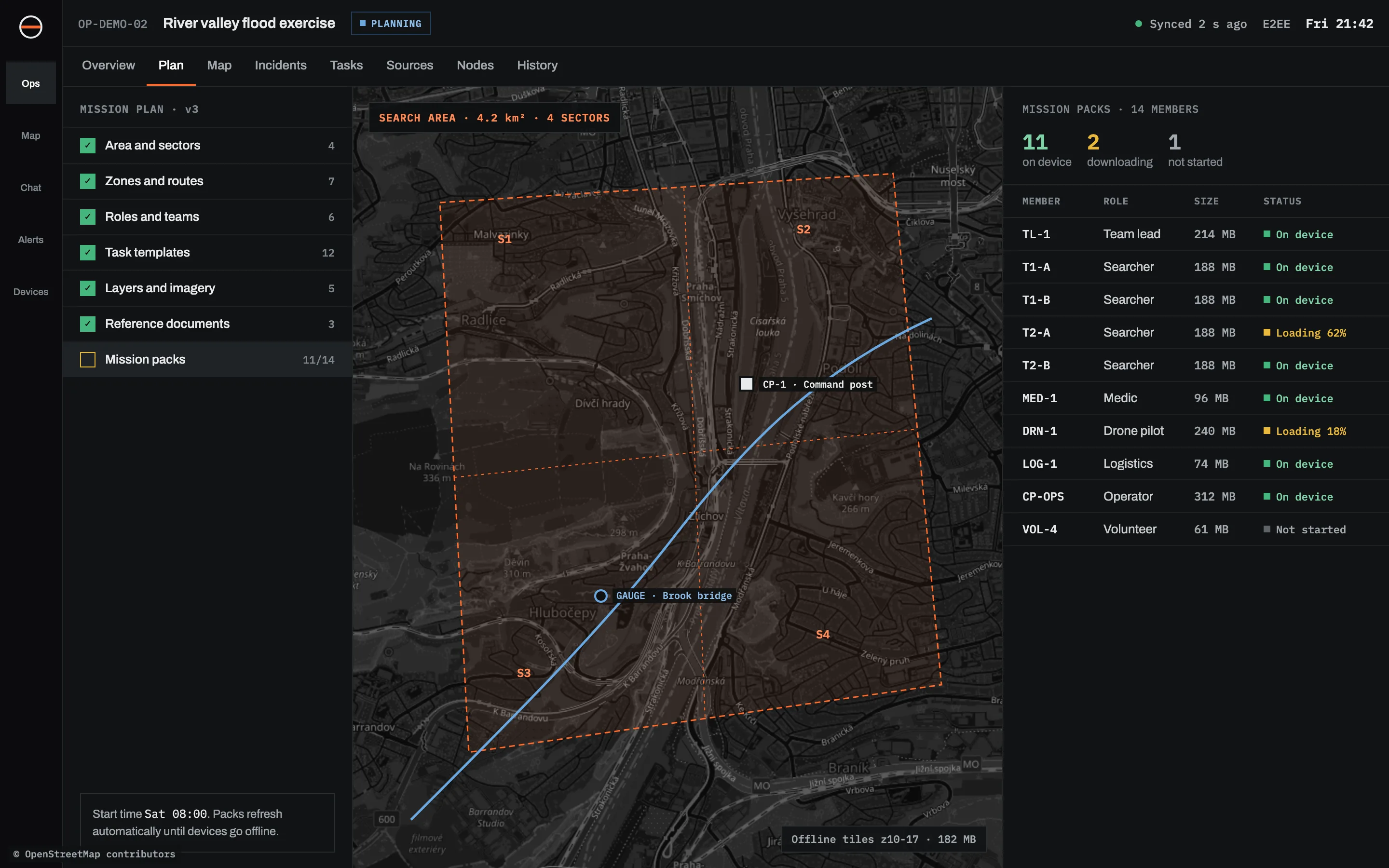
Built around sectors and tracks.
Sectors as real records
Each sector has an owner, a method, a status and a history. Reassign or split it, or mark it searched with a note about conditions.
Coverage you can show
Searchers’ tracks are recorded with time and accuracy. Gaps in the data stay visible, so “searched” means somebody walked it.
Everyone on one picture
Police, fire crews and rescue volunteers see the same map within their roles. Location sharing is visible to the person sharing, and ends with the operation.
Finds with context
Clues and sightings as observations with a photo, position, time and confidence. Two clocks: when it was found and when the search manager learnt about it.
Briefings and handovers
A new shift reads the search from the timeline instead of a whiteboard. A SITREP can be built from the record.
After the search
Replay, export as GPX, KML or GeoJSON, and an after-action review built from what actually happened.
What it does not do in a search.
Kinds of search it suits.
Asked by search coordinators.
Who is in charge of a search in Sinkaos?
Can we take untrained volunteers?
Can drone teams share their picture?
Is there a checklist for the first hours of a search?
Run your next search exercise on Sinkaos.
Early access is free. Bring a real exercise and we will help you set up sectors, roles and packs.